
Learn Digital Photography, Tips on Using a Digital Camera

If you are interested in more control of your digital camera, and want to learn how to take good photos, this time the best chance to get one of these tips to improve your photography.
One of the features of a digital camera fill flash or flash on mode. By taking control of the flash you can make sure it goes on when you want to, not when the camera is looking right. If you do this, you've just taken an important step toward capturing great photos outside.
When the camera flash on mode, it exposes for the background first and then add just enough flash to illuminate your portrait subject. The result is that you get a professional-looking picture where everything in the composition looks good. This is something that wedding photographers routinely use. Once you get the hang of using it outdoors, you can try some variations on this theme with the position of the sun illuminate the subject so that their hair from the side or rear. It is often referred to as rim lighting.
Another good technique is to put the model in the shade under a tree, and then use the flash to illuminate the subject. This makes the model comfortable and cool; they do not need to squint their eyes from the harsh sunlight. It is also often produces a more casual look at the portrait.
Click Here
If you want to learn more about your digital camera, and over hidden functions that will allow you to take great photos, then go and grab a copy of our Beginners - FREE Photography Guide,
Digital Terminology
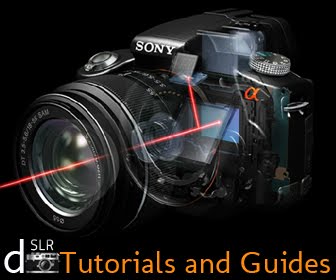
Tutorials and guides dslr-photography is now a basic and suitable for beginners of digital terminology, parts of a digital camera for you know.
Digital Camera Terms To Know
It helps when learning to use your new digital camera to additionally understand what a number of the additional common terms mean. Below you may notice several of those common terms outlined:
Automatic Mode [Ο]
A setting that sets the main focus, exposure and white-balance automatically.
Burst Mode or Continuous Capture Mode [Ο]
a series of images taken one once another at quickly timed intervals with one press of the shutter button.
Compression
the method of compacting digital information, pictures and text by deleting selected data.
Digital Zoom
Cropping and magnifying the middle a part of a picture.
JPEG
The predominant format used for image compression in digital cameras
Lag Time
The pause between the time the shutter button is pressed and when the camera really captures the image
LCD [Ο]
(Liquid-Crystal Display) could be a tiny screen on a digital camera for viewing pictures.
Lens [Ο]
A circular and clear glass or plastic piece that has the operate of collecting light-weight and focusing it on the sensor to capture the image.
Megabyte
(MB) Measures 1024 Kilobytes, and refers to the quantity of data in a very file, or what quantity data will be contained on a Memory Card, arduous Drive or Disk.
Pixels
small units of color that frame digital photos. Pixels additionally live digital resolution. a million pixels adds up to 1 mega-pixel.
RGB
Refers to Red, Green, Blue colours used on computers to make all alternative colours.
Resolution
Camera resolution describes the amount of pixels used to make the image, that determines the quantity of detail a camera will capture. The additional pixels a camera has, the additional detail it will register and also the larger the image are often
printed.
Storage Card [Ο]
The removable storage device that holds pictures taken with the camera, similar to film, however a lot of smaller. additionally known as a digital camera memory card...
Viewfinder [Ο]
The optical "window" to appear through to compose the scene.
White Balance [Ο]
White balancing adjusts the camera to make amends for the sort of sunshine (daylight, fluorescent, incandescent, etc.,) or lighting conditions within the scene therefore it'll look traditional to the human eye.